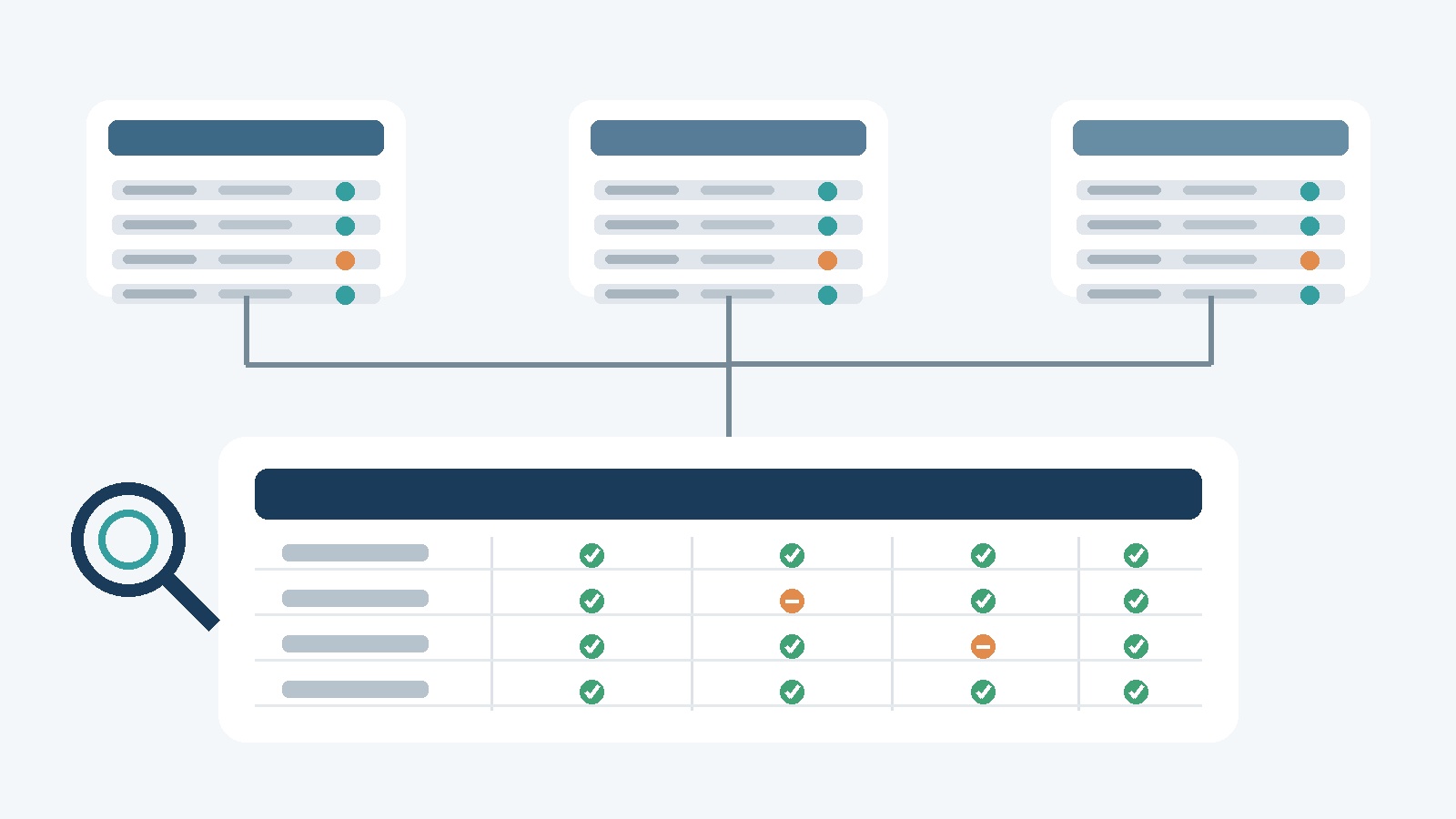

Spreadsheets are useful when a benefits program is small, the data changes infrequently and one person can verify every record. They become risky when an employer operates across countries, providers and benefit types. Plan details spread across files, renewals depend on calendar reminders, reporting requires manual consolidation and employees receive inconsistent answers.
The problem is not that spreadsheets are inherently bad. It is that they lack the ownership, workflow, access control and audit structure required for recurring global benefits administration. This guide explains the warning signs that a company has outgrown them, what dedicated software should change and how to migrate without carrying old data problems into a new platform.
Why Global Benefits Administration Breaks Spreadsheets
Global benefits data has several dimensions at once: country, employing entity, worker status, plan, provider, eligibility group, enrollment status, effective date, renewal date, currency and cost. A flat file can record those values, but it does not automatically enforce who owns them, how they relate or what should happen when an employee or plan changes.
As the program expands, teams create additional tabs, copies and formulas to handle exceptions. The workbook gradually becomes both database and workflow tool. That makes routine work dependent on individual knowledge and manual checks.
Warning Sign 1: There Is No Single Source of Truth
HR has one employee list, finance maintains a cost file, brokers provide enrollment reports and local teams track their own plans. None of them is clearly authoritative. A change in one file does not reliably flow to the others.
The result is more than inconvenience. Conflicting records can lead to incorrect eligibility, missed enrollments, duplicate coverage or inaccurate forecasts. The first requirement for a stronger operating model is to define the authoritative source for employee identity, location, employment status, plan rules, enrollment and cost.
Warning Sign 2: Renewals Depend on Memory
International programs may have different policy anniversaries, notice periods, broker timelines and approval steps. A spreadsheet can list dates, but it rarely controls the full workflow. When an owner changes roles or a reminder is missed, the company may have less time to review pricing, coverage and alternatives.
A dedicated system should assign owners, calculate lead times, track required documents and show which approvals remain open. For a detailed operating sequence, see Redii’s 90-day global benefits renewal playbook.
Warning Sign 3: Reporting Takes Days
If management asks how many employees are eligible, enrolled or uncovered by country, the answer should not require merging several workbooks. Slow reporting usually signals inconsistent field definitions, missing effective dates or unclear ownership.
Centralized administration should make coverage, enrollment and cost reporting repeatable. It should also preserve the underlying records so that a reviewer can trace a total back to employees, plans and source data.
Warning Sign 4: Employees Cannot See Their Own Benefits
When employees depend on HR to explain basic plan information, the team spends time answering repetitive questions and employees may make decisions using stale documents. A member view can improve access, but it must display the governing plan, contribution, enrollment and contact information accurately.
Self-service does not remove the need for support. Complex questions about tax, eligibility, claims or local law still need a human escalation path.
Warning Sign 5: One Person Maintains a Load-Bearing Workbook
A file becomes operationally fragile when one employee understands the formulas, file links, passwords and monthly steps. Hidden cells, copied tabs and manual overrides make review difficult. Departures, leave and peak renewal periods expose that dependency.
Documented workflows, role-based permissions and an audit history reduce key-person risk. They also make it easier to separate data entry, approval and review responsibilities.
What Global Benefits Administration Software Should Change
Software should improve the operating model, not merely move a spreadsheet into a browser. Look for capabilities that address the underlying failure points:
- A structured record of plans, providers, employee eligibility, enrollment, costs and renewal dates.
- Effective dates and change history instead of overwritten values.
- Role-based access for HR, finance, local teams, brokers and employees.
- Recurring workflows for onboarding, country moves, enrollment changes, renewals and termination.
- Reporting with consistent definitions and traceable detail.
- Document management with version and ownership controls.
- Imports or integrations that include validation and reconciliation.
- Export and offboarding options so the employer is not trapped in the platform.
Redii’s global benefits administration software centralizes plan information, employee eligibility, enrollment, renewal dates and costs while remaining vendor agnostic.
Build the Data Model Before Migrating
A migration should start with definitions rather than file uploads. Agree on the fields and relationships the organization needs. A practical minimum includes:
- Employee identifier, employing entity, work country and employment status
- Plan, benefit type, provider and policy or contract identifier
- Eligibility group, enrollment status and effective dates
- Employer and employee cost, currency and payment frequency
- Renewal date, notice date, owner and approval status
- Source document, last verification date and responsible team
Then inventory the spreadsheets, broker reports and HR or payroll exports that contain those fields. Record conflicts rather than selecting a convenient value silently. A global benefits data audit can help identify missing, duplicate and inconsistent records before migration.
A Practical Migration Sequence
1. Define ownership and access
Name the owner of every important field and workflow. Decide who may view, edit, approve and export sensitive employee information.
2. Clean and reconcile
Standardize country, plan and provider names. Resolve duplicates, confirm effective dates and reconcile enrolled employees with provider records and invoices.
3. Configure and test
Load a controlled sample. Test permissions, country views, employee changes, renewals, reports and exports. Include edge cases rather than only clean records.
4. Migrate with a cutoff
Choose a final source-of-truth date and prevent parallel edits during migration. Reconcile record counts and key totals after the load.
5. Retire obsolete files
Preserve records required for legal, tax, audit or business purposes. Remove unnecessary copies and restrict old working files so they do not quietly become active again.
Security and Governance Still Matter
Benefits records can contain personal, financial and health-related information. Centralization improves control only when permissions, authentication, monitoring, vendor management, retention and incident responsibilities are defined.
The NIST Cybersecurity Framework 2.0 provides a general structure for governing and managing cybersecurity risk. Apply the controls proportionately to the data, integrations and jurisdictions in scope. Review access when roles change and test that exports, support accounts and third parties do not bypass normal controls.
How to Measure the Change
Measure whether the new operating model improves results rather than counting logins. Useful measures include:
- Time required to answer coverage, enrollment and cost questions
- Renewals started by the required lead date
- Enrollment and invoice discrepancies
- Missing plan or employee fields
- Employee support requests and repeat contacts
- Manual corrections after imports or integrations
- Time required to add a new country, plan or provider
Review outliers as well as averages. One unresolved coverage issue can matter more than a small improvement in overall processing time.
How Redii Supports Global Benefits Administration
Redii provides a centralized view of plans, providers, members, eligibility, enrollment, renewals and spend across countries. Employers can keep existing vendors while standardizing administration and reporting in one system.
Explore Redii Benefits Administration or request a demonstration.
Authoritative References
Benefits, employment, privacy, insurance, tax and data-retention requirements vary by jurisdiction and benefit type. Employers should obtain appropriate advice for the countries, plans and employee populations involved.
Frequently Asked Questions
When should a company replace benefits spreadsheets with administration software?
Consider dedicated software when multiple versions exist, renewals depend on memory, reporting requires manual consolidation, employees cannot see accurate plan information or a small number of people maintain fragile formulas.
What information should a global benefits administration platform manage?
At minimum, it should manage plan and provider records, eligibility, enrollment, employee membership, costs, renewal dates, documents, ownership, reporting and a history of material changes.
Should every spreadsheet be eliminated?
No. Spreadsheets remain useful for temporary analysis and controlled imports. They should not be the only system of record for recurring benefits operations, sensitive employee data or deadline-dependent workflows.
How should a company migrate benefits data?
Define the target data model, assign owners, inventory files, resolve duplicates and conflicts, validate migrated records, test permissions and reporting, then retire obsolete files under a documented retention process.